How to Automatically DM Someone Who Comments on Instagram (Step-by-Step)
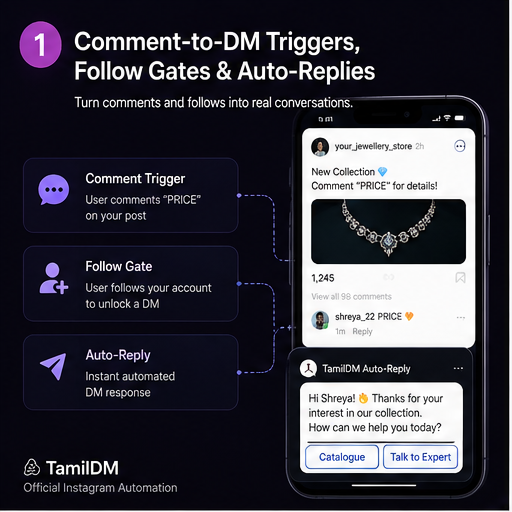
When a follower comments on your Instagram Reel or Post, every second counts. If you wait hours to manually reply with a product link or discount code, your conversion rates drop dramatically.
With Comment-to-DM Automation, you can send a instant private message within less than 1 second of a user posting a comment.
In this step-by-step guide, you will learn how Instagram comment automation works, why official Meta API compliance is critical, and how to configure your first automated campaign.
Why Automate Instagram Comment Replies?
Automating comment replies provides three massive advantages for creators, D2C brands, and local businesses:
- Instant Instant Conversions: Viewers receive product links or checkout options while their intent is at its peak.
- Algorithm Boost: The instant double-interaction (a public comment reply + a private DM) signals high engagement to Instagram's algorithm, pushing your Reel to the Explore page.
- Hands-Free Lead Capture: You no longer need to spend 4 hours a day copying and pasting links in your inbox.
Step-by-Step Setup Guide
Step 1: Connect Your Instagram Professional Account
Ensure your Instagram account is set to a Creator or Business profile and linked to a Facebook Page. This allows official Meta Graph API platforms to manage messaging securely via OAuth 2.0 without ever asking for your password.
Step 2: Choose Your Trigger Keyword
Pick a memorable, concise keyword for your Reel caption or call-to-action (CTA).
- Good examples:
PRICE,LINK,GUIDE,COUPON - Avoid vague terms like "yes" or "nice".
Step 3: Configure the Automated DM Response
Create the message your commenter will receive in their DM inbox. Include:
- A warm, personalized greeting.
- A direct action button (e.g., "View Product", "Claim 20% Off").
- An optional Ask-to-Follow Gate to ensure non-followers follow your page before unlocking the link.
Step 4: Add a Public Comment Reply
Set up 3-5 randomized public reply templates (e.g., "Sent! Check your DMs 📩", "Check your inbox! ✨"). Randomization keeps your comment section natural and human.
Step 5: Test and Publish
Publish your Reel with a clear call-to-action: "Comment 'PRICE' below to get the link sent directly to your DMs!"
Meta API Safety & Rate Limits
When using automation tools, account safety is paramount.
Never use unofficial "browser bot" tools or chrome extensions that ask for your Instagram password. Unofficial bots violate Instagram terms of service and frequently trigger action blocks or account suspensions.
Always use an Official Meta Tech Provider like TamilDM that communicates directly through official Meta APIs and includes built-in Safety Governors to manage rate limits safely.
Ready to Safe-Automate Your Instagram?
Connect TamilDM using Meta's official API to handle auto replies, stories, and DM flows securely. Start free in under 5 minutes.
Recommended Guides & Tutorials
GuidesInstagram Comment Automation: The Ultimate Guide
Master comment-to-DM triggers, automatic replies, and follow gates using Meta's official messaging automation system.

TamilDM Team
Product & Growth
 Guides
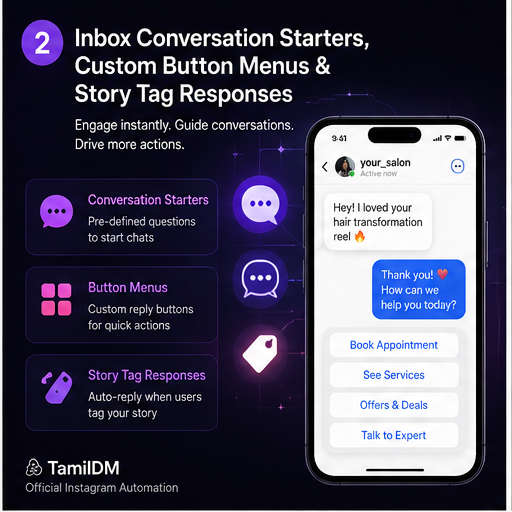
Instagram DM Automation: Complete Setup Guide
Learn how to configure automated welcome messages, private keyword triggers, and story mention replies safely on Instagram.
Sri Guru
Founder
 Guides
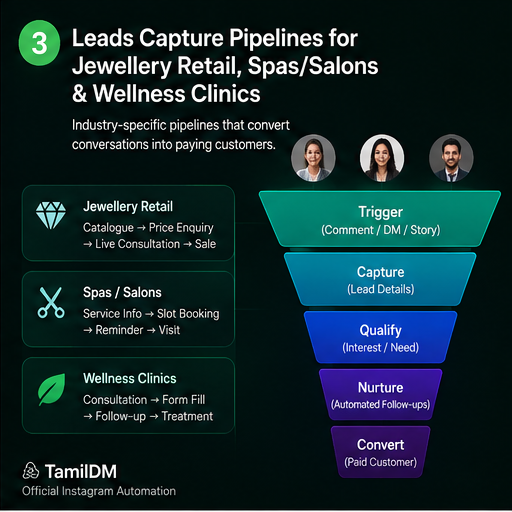
Instagram Lead Generation for Local Shops
Learn how clinics, salons, restaurants, and jewellery stores use automated comment funnels to capture booking leads, share catalog prices, and grow sales.
Sri Guru
Founder